

HMO Add-On Flexibility Explained: Your 2026 Guide
TL;DR:
- HMO add-ons like POS riders provide conditional out-of-network access only when a provider is confirmed outside the network. Convenience extras such as dental, vision, and telehealth expand services without changing medical network restrictions. Buying an add-on makes sense only if you have a specific out-of-network provider or frequent care needs; otherwise, the base HMO often offers better value.
Yes, HMO add-ons can meaningfully expand your plan’s flexibility — but only specific ones. Explaining HMO add-on flexibility comes down to a clear distinction: riders like HMO-POS (point-of-service) and out-of-network riders genuinely change what care you can access and where. Convenience add-ons like dental, vision, and telehealth expand covered services without touching your medical network rules at all.
The scale here matters. In 2026, 61% of Medicare Advantage enrollees with Part D coverage are in HMOs, and roughly 6 million of those are in HMO-POS plans that allow some out-of-network access under specified conditions. That is a large population navigating exactly this question.
The short decision rule: buy a flexibility add-on if you have a confirmed out-of-network provider you need to see or you have frequent out-of-area care needs. Otherwise, the base HMO usually delivers better value per dollar.
Key add-ons and what they actually do:
- HMO-POS rider: Allows out-of-network care at higher cost-sharing; you may still need referrals and prior authorization.
- Out-of-network rider: Similar conditional access, often requiring self-filed claims and separate deductibles.
- Dental/vision/hearing add-ons: Expand covered services; do not change your medical network access.
- Telehealth add-ons: Add virtual care convenience but do not affect in-person network rules.
- Prescription/Part D riders (Medicare context): Cover drug costs; these are distinct from medical flexibility options.
Table of Contents
- What are the most common HMO add-ons and how do they work?
- How do HMO add-ons compare to a standard HMO and a PPO?
- When is an HMO add-on worth buying?
- What HMO add-ons do not do — and common misconceptions
- How we compiled this guide and why the U.S. focus matters
- Key Takeaways
- The case for doing the math before you buy
- Further reading and official sources
- Hmoplans makes flexible group HMO coverage straightforward
What are the most common HMO add-ons and how do they work?
HMO-POS riders
An HMO-POS rider is a contractual addition that creates a conditional out-of-network option within your HMO. You keep your primary care physician (PCP) and in-network structure for routine care, but when you need a provider outside the network, the plan shares the cost rather than leaving you fully exposed. POS riders typically add a modest percentage to your base HMO premium, impose a separate out-of-network deductible, and apply higher coinsurance than in-network rates.

Referrals may still be required even when using the POS option. Prior authorization for expensive services often applies too. The rider is a conditional escape valve, not a blanket permission slip.
Out-of-network riders vs. POS distinctions
An out-of-network rider functions similarly to a POS option but may be structured as a standalone benefit rather than a hybrid plan type. The practical difference: POS plans cover out-of-network care at higher cost and typically require members to file out-of-network claims themselves, while in-network HMO claims are processed directly by the carrier. With an out-of-network rider, you pay upfront, submit paperwork, and wait for reimbursement at the plan’s out-of-network rate.
Supplemental add-ons: dental, vision, hearing, and telehealth
These add-ons sit outside your core medical coverage entirely. Dental add-ons come in two designs: DHMO (requires in-network use and specialist referrals) and DPPO (allows out-of-network care with variable cost-sharing). Covered California’s guidance contrasts these clearly. Vision and hearing riders work similarly, covering routine exams and hardware allowances. Telehealth add-ons provide virtual visit access but do not change in-person network rules.
Some insurers offer dental and vision add-ons at low monthly costs. Oscar’s supplemental plans, for example, advertise add-ons as low as $3–$10 per month. These are genuine value additions for covered services, but they will not help you see an out-of-network cardiologist.
Medicare Advantage context
For Medicare enrollees, Part D prescription drug coverage is a distinct add-on category. Supplemental benefits in Medicare Advantage plans, including dental, vision, and hearing, vary significantly by plan and insurer. Some plans limit enhanced benefits to in-network providers only, while others allow out-of-network use for specific benefit categories.
How do HMO add-ons compare to a standard HMO and a PPO?
| Add-on / Plan type | What it gives you | Typical cost impact | When it helps | Remaining limits |
|---|---|---|---|---|
| Standard HMO | In-network care only | Lowest premiums, lowest copays | Stable, local care needs | No out-of-network coverage except emergencies |
| HMO + POS rider | Conditional out-of-network access | modest premium loading; higher OON deductible and coinsurance | Occasional specialist or travel needs | Referrals, prior auth, self-filed claims, balance billing |
| HMO + dental/vision | Extra covered services | Low monthly add-on cost | Routine dental and vision care | Does not change medical network rules |
| PPO | Routine out-of-network access | Higher premiums; avg. $6,592 in-network out-of-pocket limit | Frequent out-of-network use | Higher overall cost; balance billing still possible |
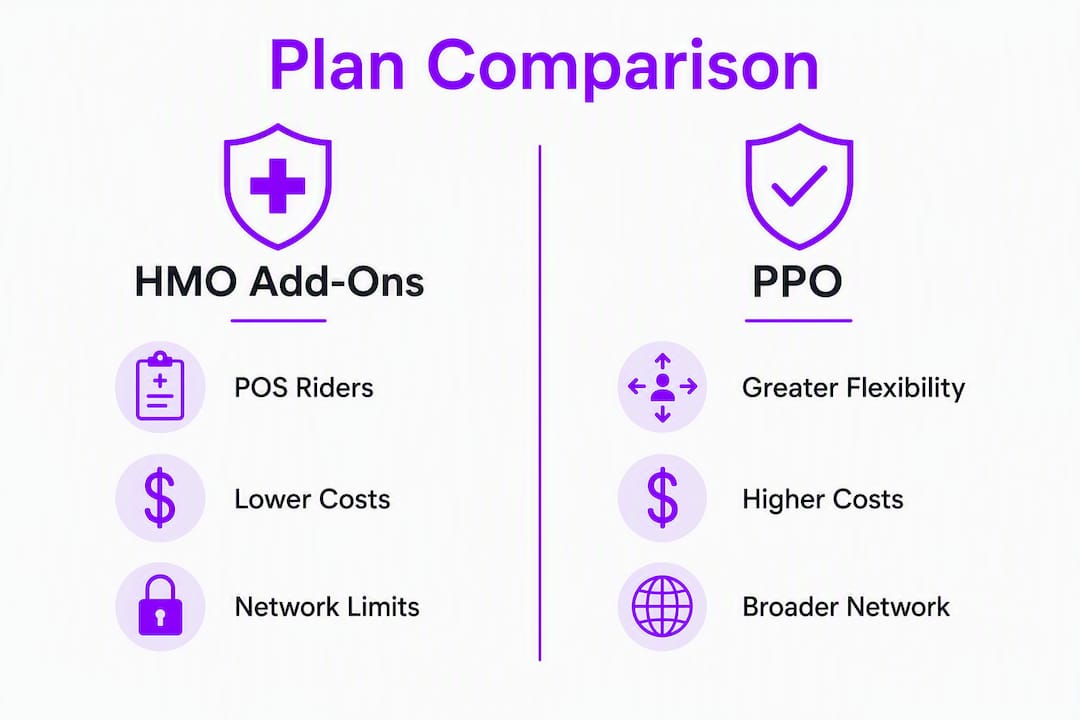
HMOs averaged a $4,636 in-network out-of-pocket limit in 2026 versus $6,592 for PPOs. That gap reflects the trade-off: HMOs cost less when you stay in-network, but PPOs treat out-of-network access as a standard tier rather than an exception.
A POS rider closes some of that gap for occasional needs. It does not replicate PPO flexibility for someone who routinely sees out-of-network providers. The key functional differences remain: PCP coordination, referral requirements, separate deductibles, and the administrative burden of self-filing claims.
Pro Tip: Treat a POS rider as a backup for occasional out-of-network needs, not a primary strategy. If you already know you will see a specific out-of-network specialist multiple times per year, run the math on a PPO before defaulting to a POS rider.
When is an HMO add-on worth buying?
Checklist before you add a flexibility rider
- Do you have a confirmed out-of-network provider you need to see?
- How often per year will you use out-of-network care?
- Do you travel frequently or split time between locations?
- Are you comfortable self-filing claims and tracking separate deductibles?
- Can your budget absorb the premium loading plus higher out-of-network cost-sharing?
- Have you verified your preferred specialists’ current network status?
Simple decision flow
If you have a named provider outside your network, estimate how many visits per year you expect. Multiply that by the likely out-of-network cost-sharing (often 40–50% coinsurance after a separate deductible). Compare that total to the annual premium loading for the POS rider. If the rider costs less than your projected out-of-network exposure, it likely pays off.
| Scenario | Annual POS premium loading | Estimated OON cost without rider | Verdict |
|---|---|---|---|
| 1 specialist visit, billed cost | — | out-of-pocket cost | Borderline; verify exact cost-sharing |
| 3 specialist visits, each billed cost | — | out-of-pocket cost | Rider likely worth it |
| no confirmed out-of-network needs | — | — | Skip the rider |
Pro Tip: Before buying, ask your carrier for a sample Explanation of Benefits (EOB) for a POS claim. Seeing the actual reimbursement math, including balance billing exposure, is more reliable than reading the plan summary alone.
Action steps to buy and activate add-ons
- Confirm your enrollment window (typically open enrollment or a qualifying life event).
- Contact your HR department or carrier directly to request add-on options.
- Gather documentation: provider names, estimated visit frequency, and current network status.
- Ask specifically how prior authorization and referral rules change when using the POS option.
- Activate the add-on in writing and confirm the effective date before scheduling out-of-network care.
What HMO add-ons do not do — and common misconceptions
The most persistent misconception is that a POS rider converts your HMO into a PPO. It does not. Your PCP coordination requirements for in-network care remain unchanged. Prior authorization still applies to expensive services, even when the POS option is technically available.
Administrative burden is real and often underestimated. Out-of-network use means self-filing claims, tracking a separate deductible, and potentially disputing balance bills from non-contracted providers. That paperwork cost is invisible in the premium comparison but very visible when you are managing a complex claim.
Enrollment timing is another common trap. Supplemental add-ons are typically only available during set enrollment periods and generally cannot be added mid-year without a qualifying life event. Missing the window means waiting until the next open enrollment period.
Watch out for this: Many people add a POS rider assuming they can use it freely for any out-of-network provider at any time. In practice, some plans require prior approval for out-of-network specialist visits, and coverage terms vary significantly by insurer and plan. Always read the Evidence of Coverage document, not just the plan summary, before assuming the rider covers your specific situation.
How we compiled this guide and why the U.S. focus matters
This guide draws on government and health-policy research, independent analysts, and insurer guidance to explain HMO add-on mechanics accurately for U.S. readers.
Primary sources used:
- KFF (Kaiser Family Foundation): 2026 Medicare Advantage data on HMO and HMO-POS enrollment, out-of-pocket limits, and supplemental benefits.
- CMS/Medicare: Regulatory framework for Medicare Advantage plan types and prior authorization rules.
- MoneyGeek: Independent analysis of HMO vs. POS cost and structural differences.
- HMO Authority: Detailed explanation of POS rider mechanics, premium loading, and cost-sharing structures.
- Blue Cross Blue Shield Michigan and Covered California: Insurer-level guidance on supplemental add-on enrollment windows and dental plan design differences.
The geographic scope is the United States, with 2026 Medicare Advantage statistics used where relevant. No vendor rankings or competing provider recommendations are included. The focus is on structural plan design and practical decision rules.
Key Takeaways
HMO add-ons that add real flexibility, like POS riders, are worth buying only when you have a confirmed out-of-network provider or frequent out-of-area care needs.
| Point | Details |
|---|---|
| POS riders add conditional access | They allow out-of-network care at higher cost but do not eliminate PCP coordination or prior authorization requirements. |
| Convenience add-ons don’t change networks | Dental, vision, and telehealth riders expand covered services but do not change your medical network rules. |
| Cost math matters | HMOs averaged a $4,636 in-network out-of-pocket limit in 2026 compared to $6,592 for PPOs; run a cost scenario before adding premium loading. |
| Enrollment windows are firm | Most supplemental add-ons can only be added during open enrollment or a qualifying life event, not mid-year. |
| Hmoplans offers flexible add-ons | Hmoplans lets SME groups add dental, annual physicals, and life and accident coverage to their core HMO plan. |
The case for doing the math before you buy
Most people shopping HMO add-ons skip the one step that actually matters: verifying whether their preferred provider is already in-network. Network directories are updated regularly, and a specialist you assumed was out-of-network may have joined since you last checked. That single verification can save you months of unnecessary premium loading.
For employers buying group plans, the calculus is slightly different. A POS rider that benefits one employee may add cost for the entire group without proportional value. The smarter approach is to survey your team’s actual provider preferences before selecting add-ons, then match the plan design to real usage patterns rather than hypothetical flexibility.
Flexible add-ons are genuinely useful tools. They work best when bought with a specific need in mind, not as insurance against uncertainty.
Further reading and official sources
These resources will help you go deeper on specific aspects of HMO add-on flexibility:
- KFF: Medicare Advantage in 2026 — The primary source for 2026 enrollment statistics, out-of-pocket limits, and supplemental benefit data across HMO and PPO plan types.
- Medicare.org: What Is a Medicare Advantage HMO-POS Plan? — A practical explainer on how HMO-POS plans work, who they suit, and how costs compare to standard HMOs and PPOs.
- GoHealth: What Is a Medicare Advantage HMO-POS? — Covers key features, referral and prior authorization rules, and how to evaluate whether an HMO-POS fits your needs.
- MoneyGeek: HMO vs. POS — Clear breakdown of cost and structural differences between HMOs and POS plans, including claims filing responsibilities.
- Blue Cross Blue Shield Michigan: How to add supplemental dental, vision, and hearing coverage — Insurer-level guidance on enrollment windows, timing rules, and how supplemental add-ons attach to a base HMO-POS plan.
- CMS provider directory tools — Use your carrier’s online directory or the Medicare Plan Finder at medicare.gov to verify current network status for specific providers before buying any add-on.
Hmoplans makes flexible group HMO coverage straightforward
If you are an SME owner or HR decision-maker evaluating group health coverage, the add-on flexibility question is exactly where Hmoplans delivers practical value. Rather than navigating a menu of confusing riders, Hmoplans offers a clear core plan with optional add-ons, including dental HMO services, annual physical exams, and life and accident insurance, that you can attach based on your team’s actual needs.

The base plan already covers pre-existing conditions, congenital conditions, and special procedures up to the Maximum Benefit Limit, with cashless access to accredited hospitals and 24/7 nationwide coverage. Add-ons layer on top without complicating the core terms. For SMEs that want flexible HMO add-on options without the administrative complexity of managing multiple separate policies, that structure is a real advantage.
Ready to see which add-ons fit your team? Visit Hmoplans member services to review your options and speak with a plan representative about building the right coverage package.
