

Avoid HMO Digital ID Failures: 5 Steps Philippine SME HR Must Follow
An HMO digital ID is the electronic member card your insurer issues once enrollment clears. It proves active coverage, plan tier, and validity dates at any accredited clinic or hospital. Your first move as HR: log into the insurer’s employer portal, confirm every employee’s enrollment status, and check that each digital ID and dLOA request path is active before anyone needs care.
TL;DR:
- Most digital IDs display core information such as the member’s name, plan tier, validity dates, and a scannable barcode, enabling instant coverage verification.
- Proper enrollment requires an accurate roster, correct formatting within the insurer’s system, and confirmation of activation before employee communication.
- Digital IDs typically suffice for outpatient visits, but planned procedures and hospital admissions need a pre-approved Letter of Authorization to enable cashless billing.
- Common ID issues stem from name mismatches, inactive coverage status, app login failures, or accreditation disputes, all fixable with prompt insurer or HR intervention.
- HR should prioritize maintaining a precise employee roster, clear instructions on ID use, and establishing direct contact with insurer support to ensure a smooth digital ID rollout.
Table of Contents
- What Is an HMO Digital ID and How Does It Work?
- How Do You Enroll Employees and Get Their Digital IDs Issued?
- How Do Employees Use the Digital ID at Clinics and for Telemedicine?
- What Should You Do When a Digital ID Doesn’t Work?
- What Should HR Prioritize When Rolling Out Digital HMO IDs?
- Get a Digital-Ready HMO Plan Built for Philippine SMEs
- Where to Verify HMO Digital ID Rules and Provider Accreditation
- Sources
- FAQ
What Is an HMO Digital ID and How Does It Work?
An HMO digital ID is the electronic version of the old plastic membership card. It lives inside the insurer’s mobile app or member portal and carries the exact data providers need to confirm coverage on the spot.
Most digital IDs display the same core fields:
- Member’s full legal name, matched to the ID they present at the counter
- A unique ID or policy reference number tied to your company’s group account
- Employer or group name, so front desk staff can confirm the corporate account
- Plan tier (this determines which hospitals, room categories, and benefit limits apply)
- Effective and expiry dates, since a lapsed date means the ID won’t scan as active
- A QR code or barcode that lets clinic staff pull up the record instantly instead of typing it in manually
This isn’t a cosmetic upgrade from paper cards. The Insurance Commission’s Circular CL2017-19 sets the regulatory floor for HMO products in the Philippines and specifically requires that HMOs issue identification carrying the member’s name, reference number, and membership details. A digital ID satisfies that same requirement in electronic form.
Where it gets more involved is authorization. A digital ID alone is usually enough for a basic outpatient consult. Planned procedures, certain diagnostics, and hospital admissions typically need a Letter of Authorization (LOA) layered on top. The ID confirms who you are and that you’re covered. The dLOA confirms the insurer has pre-approved the specific service, which is what actually triggers cashless billing instead of an upfront cash payment you’d have to claim back later. You can see how these pieces fit together in our breakdown of LOA and pre-authorization rules.
How Do You Enroll Employees and Get Their Digital IDs Issued?
Getting digital IDs into employees’ hands is a sequencing problem more than a technical one. Follow this order and you’ll avoid the two most common breakdowns: mismatched names and IDs that never got activated.
- Build the roster correctly the first time. Collect full legal names exactly as they appear on government IDs, birth dates, employment start dates, and dependent details if your plan covers them. A single typo here is the root cause of most “my ID doesn’t work” complaints later. If your plan includes spouses or children, review dependent enrollment rules before you finalize the file, since some insurers cap dependent additions to specific enrollment windows.
- Submit using the insurer’s required format. Batch enrollment files move faster than one-off submissions, and most Philippine HMOs process a complete, correctly formatted batch within the same day to 48 hours.
- Confirm activation before communicating to staff. Don’t announce the plan is live until you’ve verified IDs actually appear in the member portal.
- Distribute through the channel that fits your team. Options usually include an e-card PDF emailed directly to each employee, mobile app activation with a registration code, an SMS link, or single sign-on for larger corporate accounts.
- Log everything centrally. Store ID numbers, effective dates, and any issued LOA copies in one place your HR team controls, not scattered across individual email inboxes.
Pro Tip: Keep a simple tracking sheet with three columns: employee name, digital ID activation status, and date confirmed. Pending activations are the single biggest cause of “I couldn’t use my HMO” complaints in the first 30 days of a new plan.
Some insurer apps let employees self-serve their own LOA requests through a “Get LOA” or “Health Services” menu, while corporate accounts sometimes route those requests through HR first. Confirm which model your policy uses so employees know what to expect.
How Do Employees Use the Digital ID at Clinics and for Telemedicine?
At the point of care, the process is short. Here’s what employees need to know before they walk in.
- In-clinic or hospital check-in: Present the app screen, QR code, or barcode at registration. Staff verify the member’s name and ID number against the insurer’s system, either through their own accreditation portal or a card swipe integrated with the insurer’s network.
- Requesting a dLOA: For services beyond a basic consult, the employee (or HR, depending on the account setup) submits the request through the member app or portal. Processing typically runs same-day to 24-48 hours, but planned admissions deserve a wider buffer. Building in several days ahead of an elective procedure meaningfully cuts the risk of a denial holding up the admission.
- Telemedicine access: Many insurers let members use the same digital ID credentials to log into their teleconsult module, whether that’s built into the insurer’s own app or a linked third-party platform. Coverage details can shift by plan tier, so a benefit available on one tier’s teleconsult service may not apply on another. Our telemedicine guide for SMEs covers what to check before rolling this out to staff.
- Reimbursement versus direct billing: If a provider isn’t accredited under the employee’s specific plan tier, they’ll likely need to pay out of pocket and file for reimbursement afterward. Keep original receipts and any LOA paperwork, since incomplete documentation is the top reason reimbursement claims get delayed. Our guide to health expense reimbursement walks through exactly what to submit.
One caution worth repeating from provider directories: accreditation is tiered, not universal. A hospital being “in-network” for one plan tier doesn’t guarantee it’s in-network for another, even within the same company’s group plan, according to guidance from ClinicFinderPH.
What Should You Do When a Digital ID Doesn’t Work?
Most digital ID failures trace back to one of four causes, and each has a fast fix.
- Name or detail mismatch: Compare the payroll roster against the insurer’s record directly. Small formatting differences (a missing middle initial, a hyphenated surname typed differently) are the usual culprit, and most insurers correct these within one business day once flagged.
- Coverage shows inactive during an urgent visit: Call your insurer’s corporate hotline immediately and ask for a manual verification override while the record is corrected. Keep this number saved somewhere every HR staffer can access, not just the person who signed the contract.
- App login or activation failures: Walk the employee through a password reset first; a stuck initial activation code is the second most common issue.
- Provider disputes accreditation status: Screenshot the member portal’s verification result and photograph the digital ID display. This documentation becomes your evidence if a billing dispute needs formal escalation with the insurer later.
Pro Tip: Never rely on a provider’s verbal confirmation that they accept your plan. Cross-check it in the member app or clinic locator every time, especially at a hospital or clinic your employees haven’t used before.
What Should HR Prioritize When Rolling Out Digital HMO IDs?
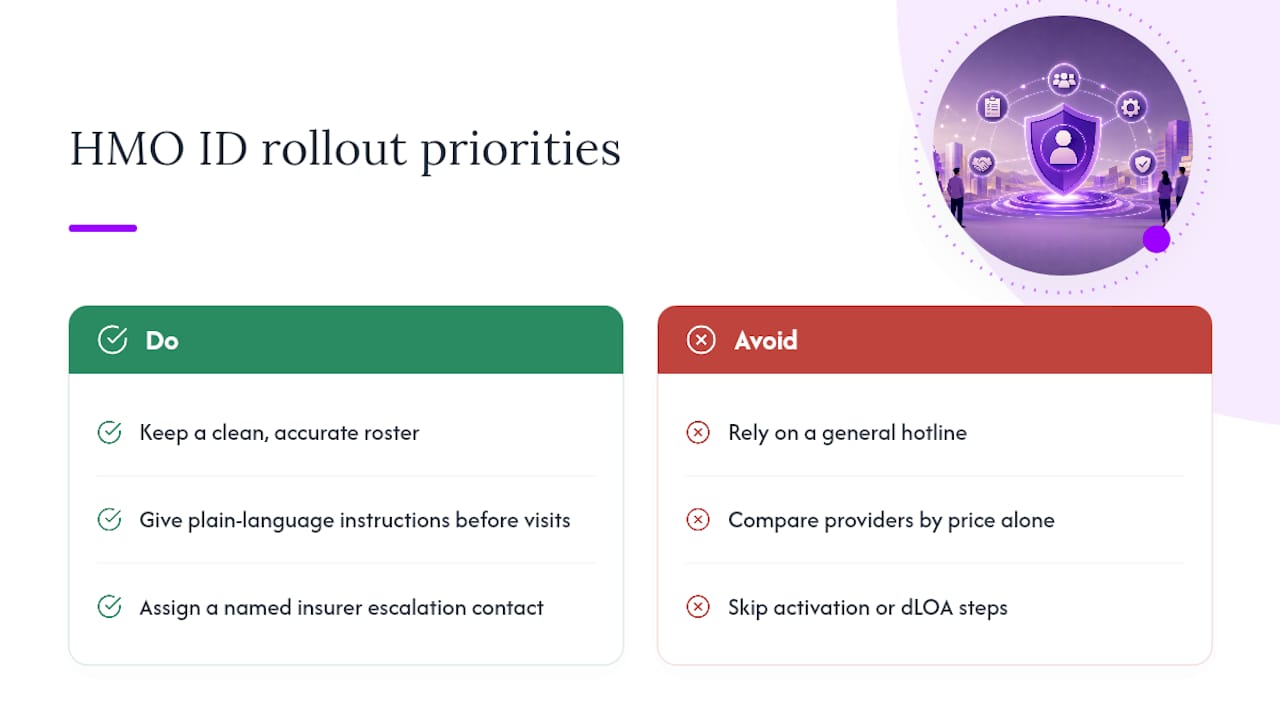
Get three things right and the rest tends to fall into place: a clean, accurate roster; plain-language instructions employees actually read before their first clinic visit; and a named contact at the insurer for escalations, not just a general hotline.
Digital IDs paired with a working dLOA process cut claims friction dramatically. Most of the “my HMO didn’t work” stories I hear trace back to a data mismatch or a missed activation step, not a flaw in the digital ID system itself. Some platforms build the portal and dLOA workflow specifically for SME account structures, which matters more than most buyers realize when they’re comparing providers on price alone.
— Eumir
Get a Digital-Ready HMO Plan Built for Philippine SMEs
Some providers offer a member portal and app built around fast digital ID issuance and straightforward dLOA requests, so your HR staff spends less time chasing activation errors and more time running the business.
Onboarding is built for how SMEs actually operate: batch enrollment, member portal access from day one, telemedicine built into the same login, and a dLOA workflow your employees can navigate without calling HR for every step. If you’re setting up group coverage for the first time or replacing a plan that’s created too many billing surprises, review the full platform features or head to Hmoplans to request a plan walkthrough for your team.
Where to Verify HMO Digital ID Rules and Provider Accreditation
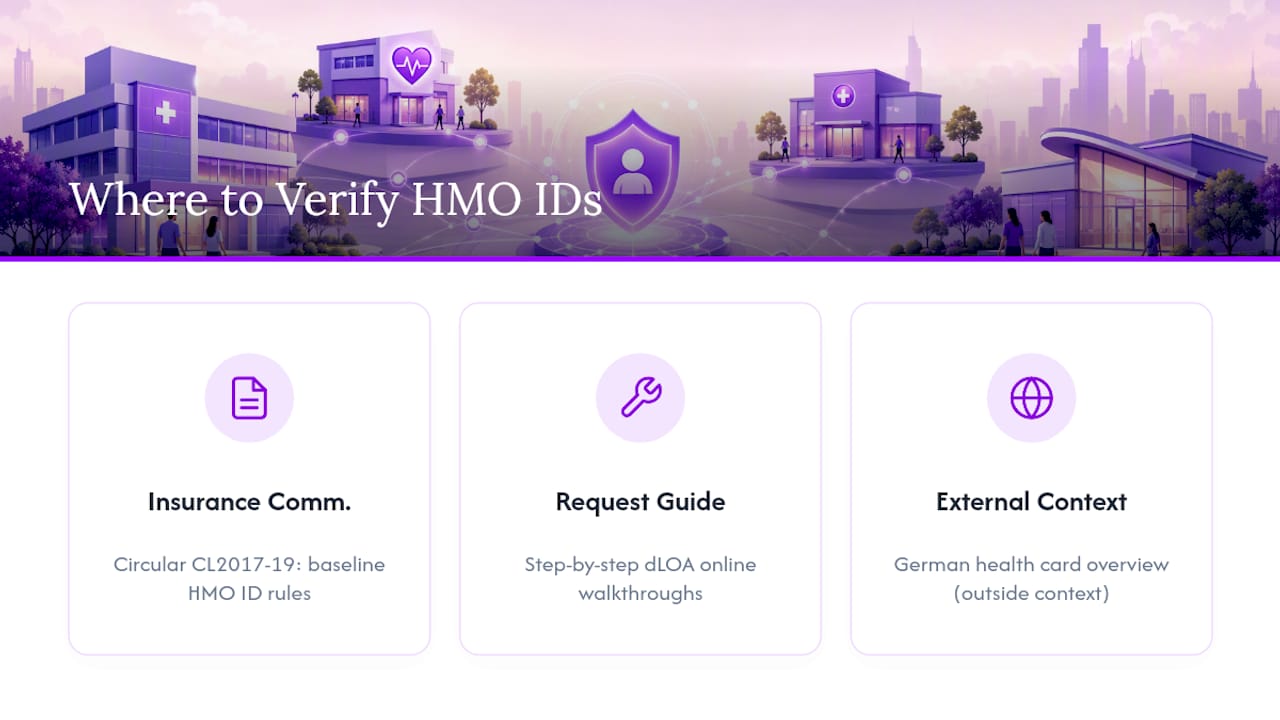
Save these for your HR reference folder: the Insurance Commission’s Circular CL2017-19 sets the baseline for what an HMO ID must contain, and practical walkthroughs on requesting dLOAs online explain the request process step by step. For a broader look at how digital identity is handled in insurance elsewhere, this piece on Germany’s health card system offers useful outside context, though Philippine rules govern your plan.
Sources
- Circular CL2017-19 — Insurance Commission (Philippines)
- How To Get LOA Online: HMO Guide For Maxicare, PhilCare, MediCard — RemoteStaff
- HMO Accredited Clinics Philippines 2026: Maxicare, PhilCare, MediCard — ClinicFinderPH
FAQ
What Fields Appear on an HMO Digital ID?
A digital ID typically shows the member’s name, ID reference number, employer group name, plan tier, effective and expiry dates, and a scannable QR code or barcode for provider verification.
Do I Still Need a Physical HMO Card if Employees Have a Digital ID?
Not usually. Most accredited providers in the Philippines now accept the app-based or e-card version as valid proof of coverage, though it’s worth confirming with less frequently used providers before a visit.
How Long Does a dLOA Take to Process?
Processing typically runs from same-day to 24 to 48 hours for standard requests, but planned admissions should be requested three to five days ahead to avoid delays.
What Happens if an Employee’s Digital ID Shows Expired Coverage?
Contact your insurer’s corporate hotline right away to request manual verification while HR corrects the underlying enrollment record, which is usually a data sync issue rather than an actual coverage lapse.
Can Employees Use Their Digital ID for Telemedicine?
Yes, in most cases the same login credentials that verify the digital ID also grant access to the insurer’s teleconsult module, though available services can vary by plan tier.
How Do I Check if a Hospital Accepts My Company’s HMO Plan?
Verify through the insurer’s member app, online provider locator, or corporate hotline rather than relying on a provider’s verbal confirmation, since accreditation varies by plan tier.
